


Flagships in 2026 start at 256GB of fixed internal storage, and jumping to 512GB adds another $200 to the receipt. My S25 Ultra came with a dual SIM tray but no memory card slot. When internal space runs low, phone makers expect you to pay for a cloud subscription and upload everything over the internet.
Cloud storage falls apart when you’re on a weak signal and need to move large videos fast. Keeping a microSD card on me solved the storage problem, but it also made me realize that the reason phones dropped the slot isn’t the one we were sold.
Related
microSD cards have three different speed ratings — and the one everyone ignores is the only one that matters
It’s not on the memory card box, but it’ll make everything slow.
Why phone makers really dropped the slot
A deliberate shift toward recurring revenue
No attribution – Image taken by Digvijay KumarCredit: Digvijay Kumar / MakeUseOf
Samsung first pulled the microSD slot from the Galaxy S6 back in 2015. Users hated the change so much that sales fell short of Samsung’s own targets, and the card tray returned on the S7 and stayed through the S8, S9, S10, and S20 series. When the Galaxy S21 dropped it again, Samsung repeated the exact same arguments, pointing to water resistance, faster internal UFS storage speeds, and motherboard space for bigger batteries and 5G antennas.
To be fair, those hardware concerns sound reasonable. But the Moto G Power keeps a dedicated microSD slot alongside IP69 water resistance and a 5,000mAh battery in a phone that costs a fraction of what Samsung charges for its flagship. If a budget phone can fit all of that without dropping the tray, the engineering case falls apart.
No attribution – Image taken by Digvijay KumarCredit: Digvijay Kumar / MakeUseOf
What actually changed between the S6 backlash and the S21 was the market, not the hardware. Cloud storage had gone mainstream, streaming had replaced local music libraries, and pushback over the missing tray had largely evaporated. Meanwhile, stepping up to that next tier costs buyers an extra two hundred dollars, while the actual flash memory inside costs manufacturers closer to twenty. Once your built-in storage fills up with high-resolution photos and 4K clips, the operating system nudges you toward Google One, OneDrive, or iCloud.
Tiny card readers replace the missing tray
Universal flash storage in your keychain
Digvijay Kumar / MakeUseOfCredit: Digvijay Kumar / MakeUseOf
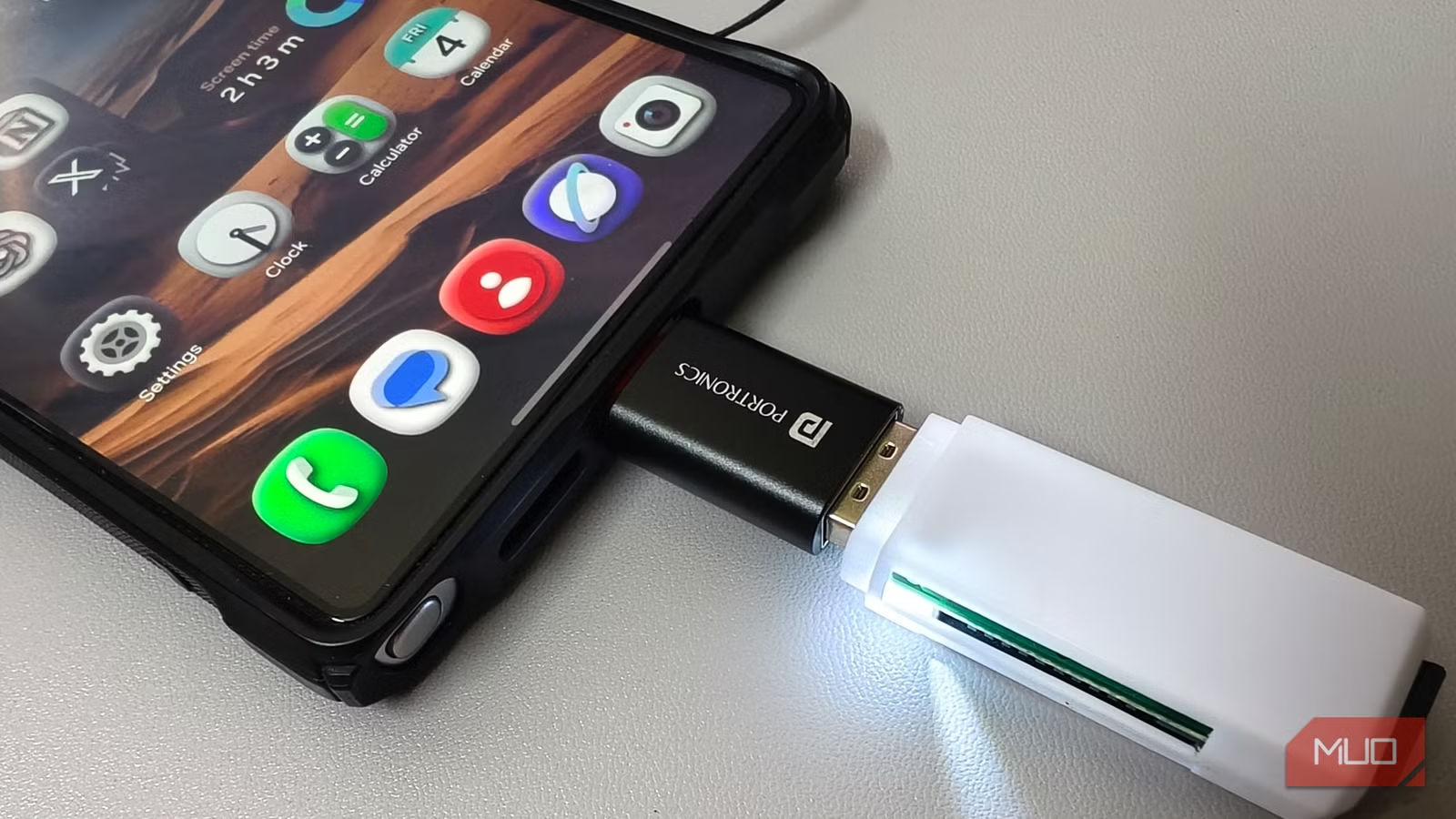
I solved this with a five-dollar USB-C card reader that I carry everywhere. It is about the size of a postage stamp and slips right into the coin pocket of my jeans. Whenever I need extra room, I slide a 128GB card into the slot and connect it to the bottom of my phone. There are no dangling cables or awkward hubs bouncing against the screen while I walk.
Once Apple moved the iPhone 15 to USB-C, the same reader started working across both platforms. Before that, getting files onto an iPhone from a card meant buying a Lightning adapter and wrestling with companion apps that rarely worked. Now Android and iOS both recognize the drive automatically, letting you browse your files inside Samsung My Files, Google Files, or Apple’s Files app.
The same card fits a DJI drone, a GoPro, or a car dashcam, so you can pull it out of those devices, pop it into your phone, and check your footage right on the spot. And when you eventually upgrade your phone, that storage travels with you instead of staying trapped in a device you’re trading in.
Related
The only smartphones that still have a microSD slot and a headphone jack in 2026
Phones with a headphone jack and microSD card slot are a rarity nowadays, but you can still find them with newer models.
The real trade-offs of going slotless
Living with a portable reader comes with a few compromises a built-in tray never had. It ties up your charging port during transfers, and you have to safely unmount the drive through your notification shade or files app before disconnecting to avoid corrupting files. Transfer speeds also depend on whether your phone supports USB 2.0 or 3.2, meaning massive video folders can drag on older hardware.
Even with those compromises, I’m still carrying the same card reader I bought months ago. My storage isn’t locked to one phone; it doesn’t cost me a monthly subscription, and it works the same way whether I have cell service or not. That beats paying a two-hundred-dollar markup for built-in storage I cannot take with me when I switch phones.
Brand
SanDisk
Capacity
256GB
Flash Memory Type
microSDXC
Hardware Interface
microSDXC
Despite having really good hardware that’s capable of playing modern games (with some tinkering), the Steam Deck is in a unique position of being your go-to for enjoying AA or, better yet, indie titles. They tend to be less resource intensive and far fewer gigabytes in size. If that’s what you’re planning to do or you just have a budget to adhere to, then you’ll get the most out of the SanDisk Ultra. In return, the SanDisk Ultra provides 256GB of storage, which is quite good if you own the 256GB Steam Deck model, netting you over half a terabyte of storage altogether. If you own the 64GB Steam Deck model, you’d finally have proper storage, right? Of course, it isn’t just about the capacity of the SanDisk Ultra—it can back it with performance, too! The SanDisk Ultra can reach read speeds of 120MB/s and write speeds consistent with U1 speed class. Read speeds are most important here, however, so the SanDisk Ultra’s performance will always provide quick load times.