


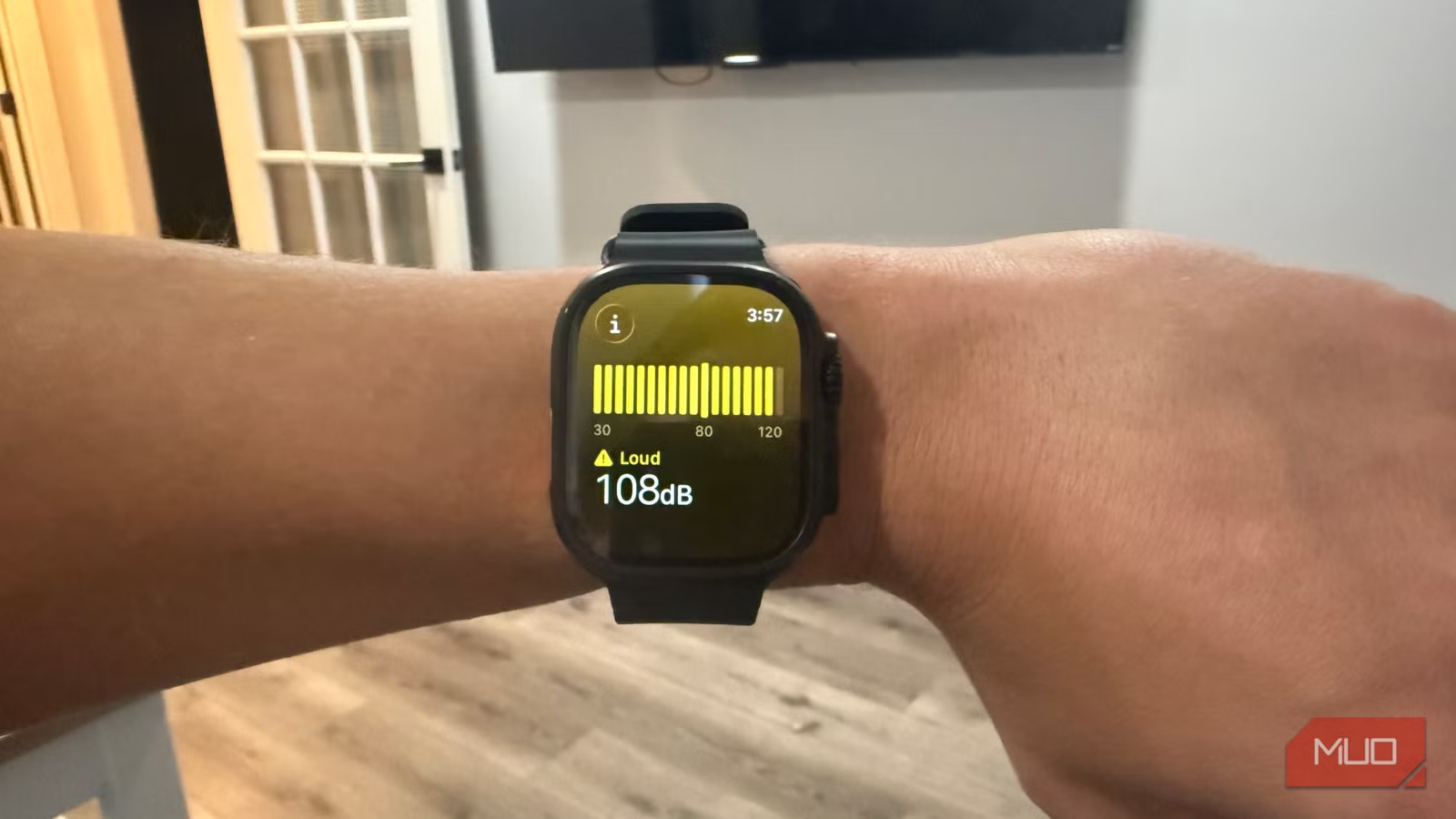
My Apple Watch Ultra 3 tapped my wrist in the middle of a garage project and told me the room was too loud. I looked down at a Noise Notification, then found the same warning waiting on my iPhone once I’d set the tool down. For years I’d run a garage full of Ryobi tools with nothing in my ears, even though a pack of earplugs sat in a drawer a few feet away.
My Apple Watch finally put a number on that habit. Across my tools, the Noise app logged readings from 61dB to 102dB, and Apple says the top of that range can cause temporary hearing loss within minutes. One feature I had never opened changed how I work out there.
The alert that finally got my attention
A three-minute average is all it takes
Several times a day, the watch’s microphone takes a quick sample of whatever is going on around me. Nothing gets recorded or saved. All it wants is a level, and according to Apple’s support page, the tap comes when three minutes of sound average out at or above the threshold you chose.
That averaging window is what made the alert hard to shrug off. A single trigger pull won’t set it off. It took a long stretch of racket before my wrist buzzed, which is why I couldn’t write the alert off as a glitch.
Turning it on is quick. In the Watch app on your iPhone, tap My Watch > Noise > Noise Threshold and pick the decibel level you want. You can do the same on the watch under Settings > Noise. Anything below 80dB shows as OK in the app, and anything above it shows as Loud.
Related
I Didn’t Realize My AirPods Could Do This—Now I Use Them Differently
Your AirPods can do so much more than you initially thought.
From background hum to 102dB
At the quiet end, my readings sat at 61dB, which the watch doesn’t flag at all. At the loud end, they reached 102dB. On paper, those numbers sit close together. They aren’t close. Decibels climb on a logarithmic scale. Add 10dB and the sound energy multiplies by ten, so that 41dB spread means my loudest reading carried more than 10,000 times the energy of my quietest.
It’s easy to assume cordless tools are tame. There’s no gas engine and no cord, just a battery that runs everything. The motor was never the whole story, though. Most of the racket comes from the work itself, like a blade ripping through a 2×4 or an impact driver pounding a screw into a stud.
Published figures back up what my wrist reported. A typical circular saw is about 108dBA, and a dull blade only makes things worse. That’s another point in favor of the blade mattering more than the saw. NIOSH, the federal agency that studies workplace safety, says to wear hearing protection around any tool louder than 85dBA.
The minutes add up faster than the hours
Apple’s exposure limits reframed a weekend project
Credit: Jonathon Jachura / MUO
I had always thought of hearing damage as a job site problem, something that happens to people who run saws eight hours a day. Apple’s own chart says otherwise. Roughly five and a half hours a day at 80dB is where temporary hearing loss becomes a risk. Bump that to 90dB and you have about 30 minutes. At 95dB, it’s 10 minutes. At 100dB, a few minutes a day is enough, and the weekly limit is around 20 minutes.
I logged 102dB, which is off the end of that chart.
Nobody runs a saw nonstop in a home garage. You cut, measure, and cut again, so the noise never feels like long exposure. The bursts pile up anyway. A few dozen cuts, some sanding, and a pass with the vacuum can eat a whole week’s allowance before dinner. Your iPhone has been keeping score the entire time in the Health app, under Browse > Hearing > Environmental Sound Levels.
What I changed after seeing the numbers
The earplugs finally left the drawer
Credit: Justin Duino / MakeUseOf
The fix cost me nothing, because I already owned it. Those foam earplugs now go in my ears before my first cut. When they aren’t handy, I reach for my AirPods Pro 2 or my AirPods Max.
The AirPods Pro 2 have a Hearing Protection feature. Wear them alongside an Apple Watch and the Noise app shows a second number, an estimate of what’s getting to your ears next to the level in the room. Apple spells out the catches, though. You need a tight seal and some charge left, and sustained sound over 110dBA or sharp impulse noise is beyond what the feature handles. Since Apple lists only AirPods Pro 2 and Pro 3 as supported, I’d still grab cheap foam plugs for the loudest jobs.
The watch has limits, too. Your wrist isn’t your ear, so the number is an approximation, and Apple warns that wind and water skew it. I wouldn’t put much faith in a reading taken outside on a gusty day.
Screen Size
1.98 inch
Battery Life
42 Hours
The cheapest safety upgrade was already on my wrist
Workouts and battery life sold me on the Ultra 3. Fixing a years-old bad habit was never on the list, and I didn’t need a decibel meter or any guesswork about which tools were the offenders. If you’ve got an Apple Watch and some power tools, try it yourself.
Open the Noise app, squeeze a trigger, and look at the number. Mine surprised me. Set a threshold afterward, keep earplugs right by your battery charger, and your wrist will remind you on the days you’d skip them. The tools get a little quieter. Your hearing sticks around a lot longer.